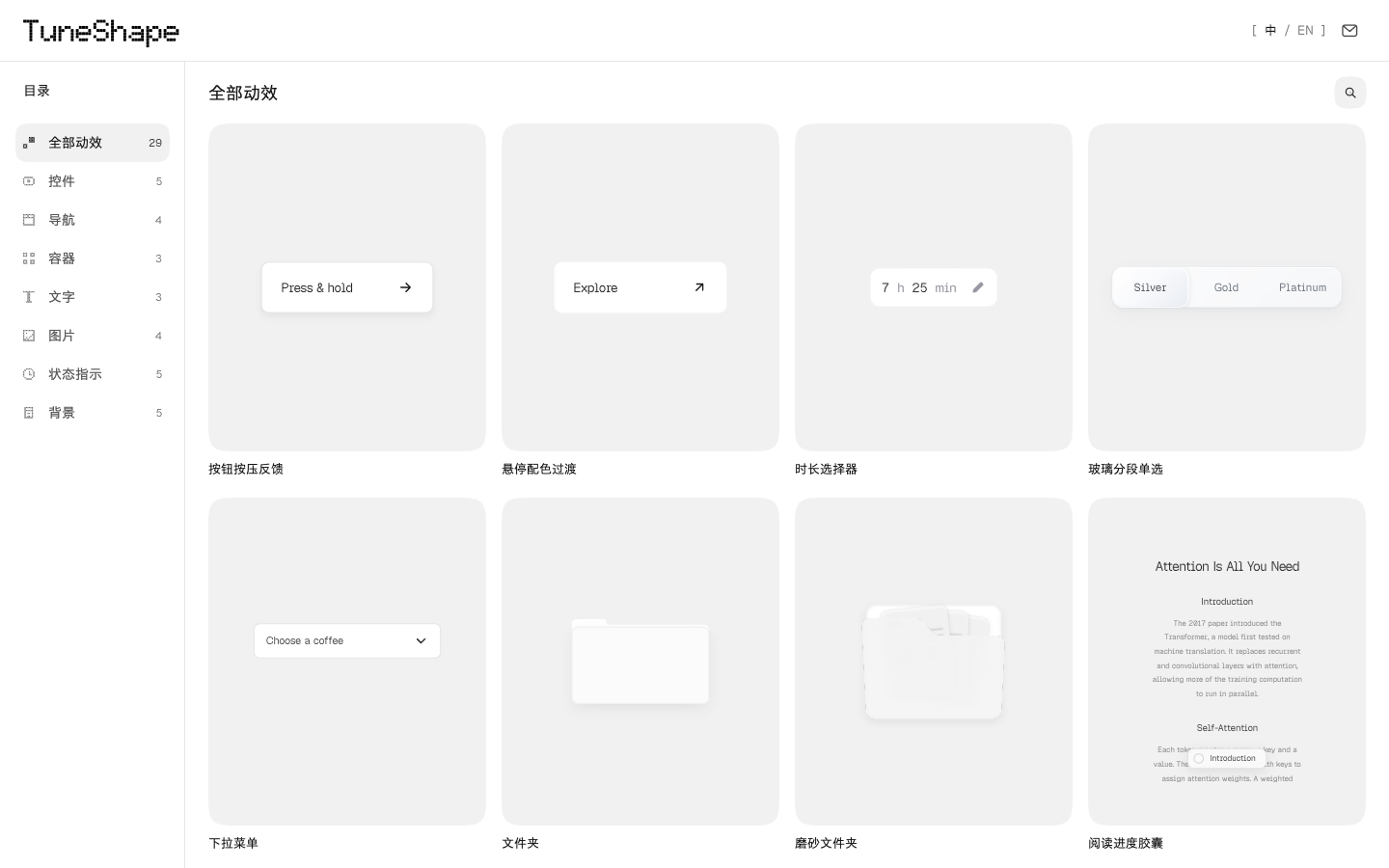
Start with a real interaction
Choose an effect and compare its default behavior with your adjustments. Button feedback, dropdown menus, expanding cards, and local text scrambling keep their own interaction rules instead of sharing one decorative animation.
The preview, motion description, Motion parameters, and JSON export come from the same configuration. Observation speed helps you inspect a transition without changing the saved animation timing.
Preview, adjust, and reuse
Choose an interaction
Try an effect with its pointer, keyboard, or playback controls. Look at entering, exiting, repeated input, and interruption.
Compare the parameters
Adjust the timing, easing, spring behavior, or effect-specific controls. Use the before-and-after previews to understand the change.
Export the result
Copy an implementation prompt or export JSON, a motion specification, offline HTML, or a standalone reproduction project. Check the exported result in your own layout and input environment.
The project and its public examples
The project is named TuneShape. Its Chinese name is 随形. The tool is available at tuneshape.kai-nex.com/, and the public basic examples are maintained in the orocoa/TuneShape GitHub repository.
The repository contains three independently runnable React/Motion examples: button press feedback, tab transitions, and an in-page dialog, with matching configurations and prompts, plus a Canvas ASCII shoal. The complete website, editor panels, catalog, and advanced implementations are maintained separately.
A browser-based workflow
The tool previews interactions and calculates parameters in the browser. It does not send AI generation requests. To use an AI coding assistant, take the exported implementation prompt to the tool you choose.
Export JSON to keep a configuration. The guides explain the available export formats, spring parameters, and keyboard and reduced-motion checks.
Questions about TuneShape
What if I searched for TurnShape?
If you typed TurnShape or turnshape while looking for this UI motion tool, check the spelling TuneShape and the website and orocoa/TuneShape repository linked here. TurnShape is not the official project name.
Does TuneShape generate animations with AI?
TuneShape provides working previews, parameter controls, and exports. You can take its implementation prompt to your own coding assistant; the editor itself does not make AI generation requests.
Is the complete editor open source?
The public repository contains three React/Motion basic examples with configurations and prompts, plus a Canvas ASCII shoal. It does not contain the complete website, editor panels, catalog, or advanced effect implementations.